

 Purchase $19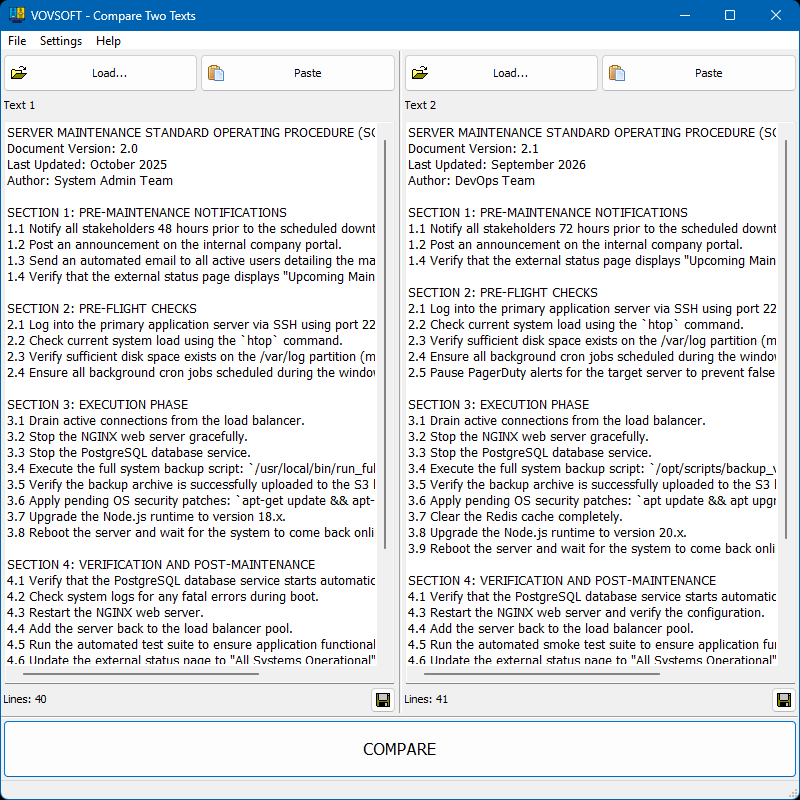

Vovsoft Compare Two Texts is a straightforward Windows tool that places two pieces of text side-by-side and automatically highlights the differences. It eliminates manual proofreading, making it perfect for checking code, document revisions, and content analysis.
Category: System Utilities  Text/Document Editors
Supports:  Windows 11, Windows 10, Windows 8/8.1, Windows 7, Windows Vista (64-bit)
File Size: 4.21 MB (Installer), 3.43 MB (Portable)
Language: English, Abkhazian, Albanian, Arabic, Bulgarian, Catalan, Chinese, Czech, Dutch, Finnish, French, German, Greek, Hebrew, Hindi, Hungarian, Italian, Japanese, Korean, Norwegian, Persian, Polish, Portuguese, Romanian, Russian, Slovak, Slovenian, Spanish, Swedish, Turkish, Ukrainian, Vietnamese
License: Free to try








| Trial | Licensed | |
|---|---|---|
| Shows differences between 2 texts |  | |
| Commercial use allowed |  | |
| No nag screen, no ads | | |
| Lifetime free updates | | |
FREE Download (Installer) Download (Installer) Download (Portable) Download (Portable) | $19 Purchase |
 To receive license key and use all features of the software, use secure order at our financial partner, PayPro Global. To initiate the transaction, click the "Purchase" button above. Your license key will be immediately delivered after the registration. By using this license key, you can activate the product on the computer you want to use. The entire process needs only a few minutes.
A purchased license will be valid forever and includes future updates, all new functions will be available for existing registered users.
Finally, your registration enables us to improve our programs and continue developing quality software in the future. If you like this application or want to see new features, please consider registration. Thank you!
 Difference between Installer and Portable Editions Vovsoft Portable Software List Vovsoft 64-bit Software List Compare Two Texts Feature Requests







 Compare Two Lists
  Text Edit Plus
  Text Statistics Analyzer