  Tree Notes Tree Notes   Changelog for the latest releases:This page contains the complete changelog of Tree Notes, detailing what has changed in each version. Tree Notes 3.6
October 8, 2026 (PST)
Tree Notes 3.5
July 26, 2026 (PST) - Supported multi-select and multi-delete
Tree Notes 3.4
July 14, 2026 (PST) - Improved note-loading behavior
- Fixed memory bug related to theme change
Tree Notes 3.3
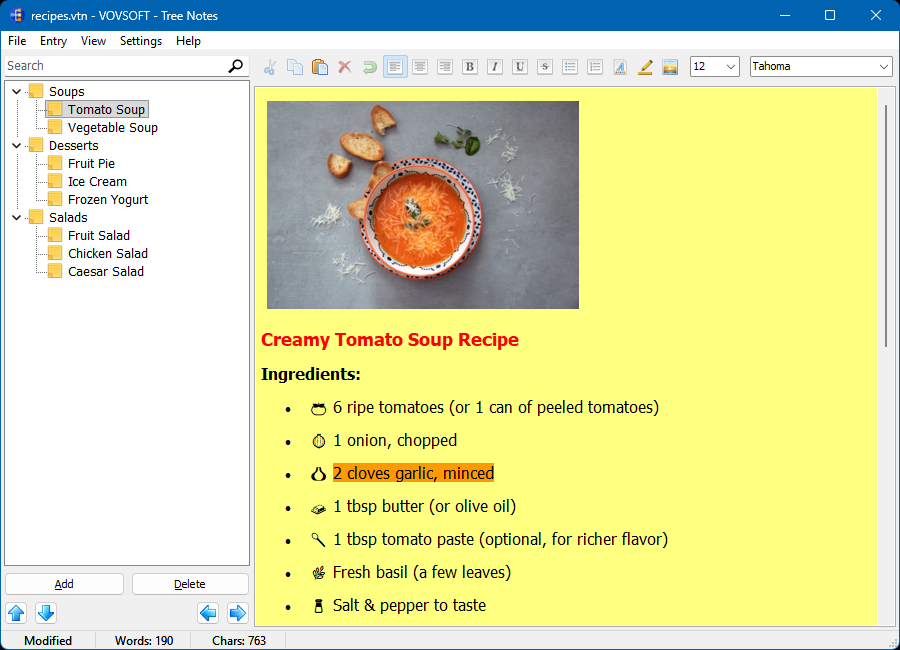
July 14, 2026 (PST) - Added word-count and character-count in the StatusBar
Tree Notes 3.2
July 11, 2026 (PST) - Added “Sort Alphabetically”
- Improved “Expand” and “Collapse”
- Fixed settings.ini write error in some cases
- Fixed splitter resize bug
Tree Notes 3.1
July 5, 2026 (PST) - Fixed paste problem in FindDialog
Tree Notes 3.0
June 28, 2026 (PST) - Added “Paste Special” right-click menu item
- Improved load speed
- Improved save speed
- Improved button icons
- Fixed “copy image from browser” problem
- Fixed some high-DPI issues
Tree Notes 2.8
June 17, 2026 (PST) - Added “View” menu
- Added “Display Special Chars”
- Added “Word Wrap”
Tree Notes 2.7
May 24, 2026 (PST) - Added “Dark” theme
- Added “Auto-Save on Exit”
- Added “Paste as Plain Text”
- Fixed “New” bug
Tree Notes 2.6
December 14, 2025 (PST) - Supported HTML import and export
- Added “Export” right-click menu item for exporting selected note
Tree Notes 2.5
October 20, 2025 (PST)
Tree Notes 2.4
September 29, 2025 (PST) - Bitmaps are now saved as PNG to reduce file size and improve processing speed
- When saving fails, corrupt backup files are no longer written
- If a file is corrupt, the application prompts to load an existing backup (if available)
Tree Notes 2.3
June 30, 2025 (PST) - Added “Remember Current Session for Next Launch” setting, enabled by default
- Added ToolBar hints
- Fixed “Delete” key bug occurred when editing note label
- Supported hyperlinks again, they have been broken since version 2.1
Tree Notes 2.2
May 24, 2025 (PST) - Fixed “Change Default Font Settings” bug
Tree Notes 2.1
May 11, 2025 (PST) - Added ability to add images
- Added “Replace” menu item
- Supported DOCX (Microsoft Word) files
- Supported numbered lists
- Supported background images
- Supported text background color
- Improved font list, displays font names using their respective typefaces
Tree Notes 2.0
April 18, 2025 (PST) - Updated .vtn file structure: now supports UTF-8 encoded note labels
- Legacy .vtn files can still be loaded for backward compatibility
- A sample note is created on first launch
- Supported drag and drop
- “Delete” no longer asks for confirmation if the value is empty
- Added loading cursor
Tree Notes 1.7
February 24, 2025 (PST) - Added “Auto-Save” setting
- Added “Minimize to System Tray” setting
- Added “Date and Time” menu item
Tree Notes 1.6
February 19, 2024 (PST) - Supported TXT files in entry import and export
Tree Notes 1.5
February 10, 2024 (PST) - Supported importing multiple TXT and RTF files
- Supported exporting to multiple TXT and RTF files
- Added “Automatically Create Backup File” option
- Added “Delete All” menu item
- Improved search
- Improved UI
Tree Notes 1.4
February 8, 2024 (PST) - Added “Edit”, “Move to Top”, “Move to Bottom” right-click menu items
- Improved keyboard shortcuts
- Improved UI
Tree Notes 1.3
February 6, 2024 (PST) - Added “Allow Tab Characters”
- Added “Monitor External File Modification”
- Added “Find”
- Added “Find Next”
- The application automatically creates empty Default.vtn file at launch
- Fixed modified status at launch
Tree Notes 1.2
January 27, 2024 (PST) - Added search bar
- Added “Expand All” and “Collapse All” menu items
- Fixed “Save” and “Save As” bugs
Tree Notes 1.1
January 26, 2024 (PST) - Supported hyperlinks
- Added “Change Background Color”
- Added “Change Default Font Settings”
- Added “Print”
- Added RTF import and export
- Added up, down, left, right buttons
- Added right-click menu
- Removed system color names
- Fixed installer file association bug
- Improved new, load, add, delete, insert behaviors
- Improved UI
Tree Notes 1.0
January 22, 2024 (PST) |